UP! is a native macOS companion for League of Legends. It tells you what to pick and why, imports your runes and build, scouts the lobby and keeps the timers while you play.
Free. For macOS 14 Sonoma and later, on Apple silicon and Intel.
Match foundAccepting in 2.0 s
S+10.0
51 / 1 / 0MVP
Never reads game memoryIt only talks to Riot's own client and game APIs.
Imports as you lock inRunes, summoner spells and the item set, ready before loading.
Native on every MacA SwiftUI app for Apple silicon and Intel that idles near 0 % CPU.
Nothing to sign up forIt works with the League client you're already signed in to.
One match with UP!
From the moment the queue pops to the post-game screen, UP! does the busywork in the background and puts the one thing you need in front of you.
in queue
Accepted before you look up.
Grab a drink while you queue. When a match pops, UP! plays a sound, bounces its Dock icon and accepts for you two seconds later, in every queue including Swiftplay.
Change the delay or turn it off in Settings
⌘⇧A accepts by hand from anywhere in the app
Match foundAccepting in 2.0 s
to pick
Every pick comes with a reason.
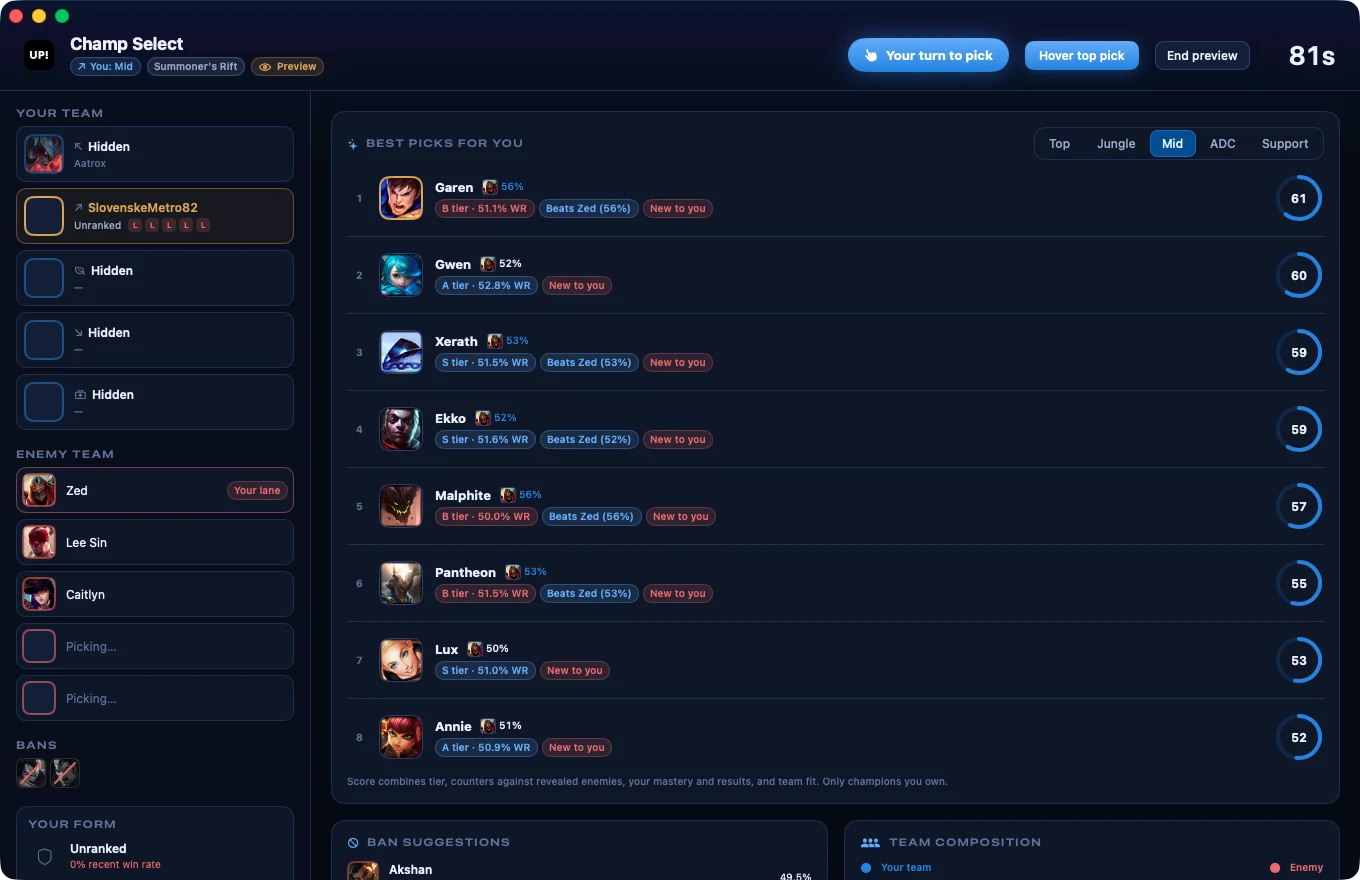
The assistant opens with champ select. Every champion you own gets a score out of 99 for your role, with the reasons spelled out: how it does against the enemies revealed so far, your mastery and recent games, and the damage your team is missing.
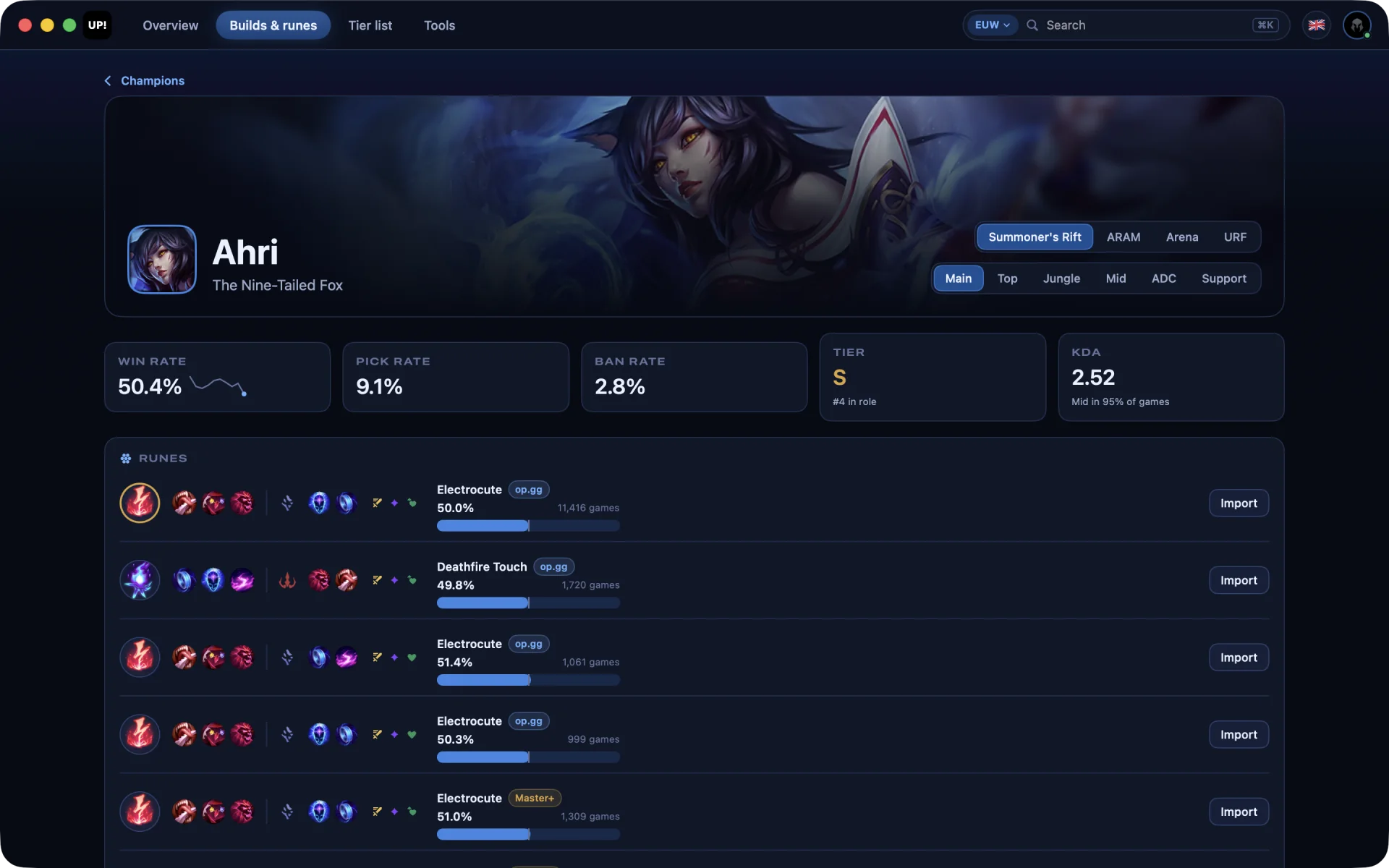
Lock in and your runes, spells and item set are already in the client
Ban suggestions and a read of both team compositions
ARAM ranks your bench with a one-click swap, Arena weighs your duo
in game
Timers, enemy items and your next buy, over the game.
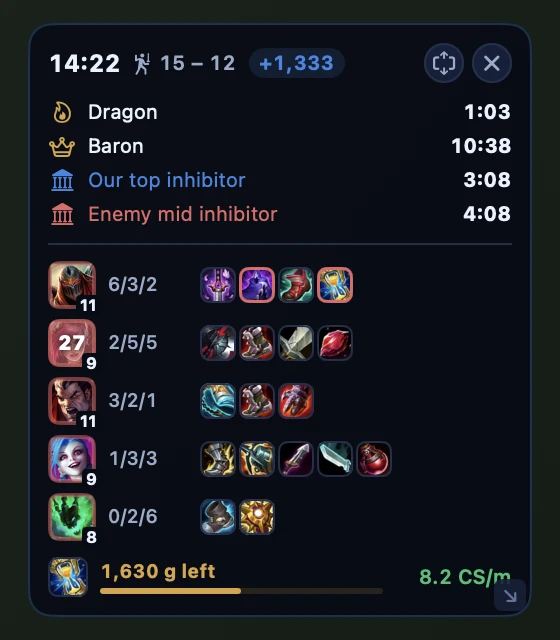
The HUD sits on top of League in windowed or borderless mode: Dragon, Baron and inhibitor timers, every enemy's level and items with counter items outlined, your build path, the gold left to your next item and which skill to level next.
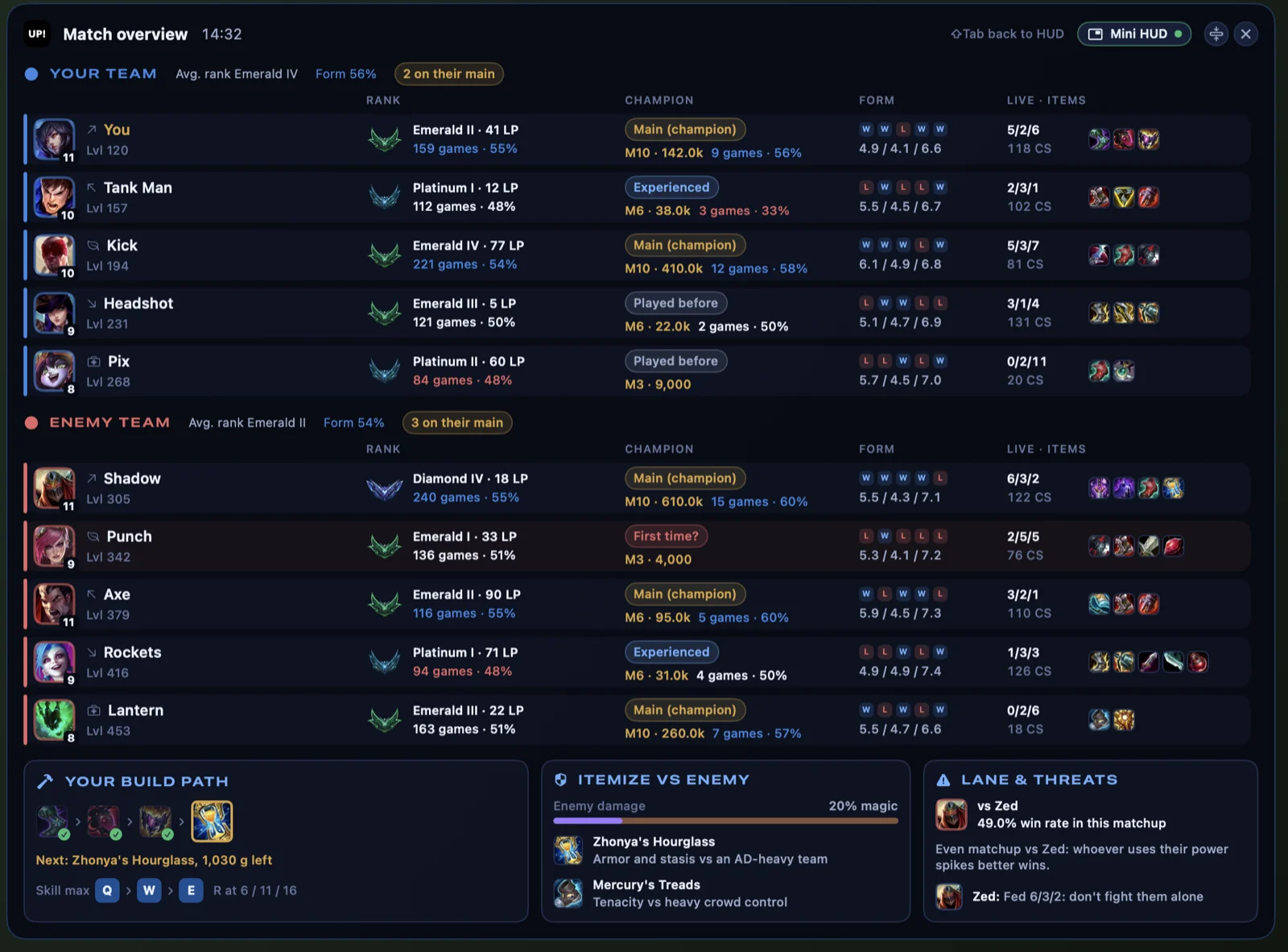
⇧Tab opens the match overview with ranks, form, premades and live items
Click any name there to open that player's profile
⌃⇧H hides the HUD when you want a clean screen
victory
Graded against everyone in the match.
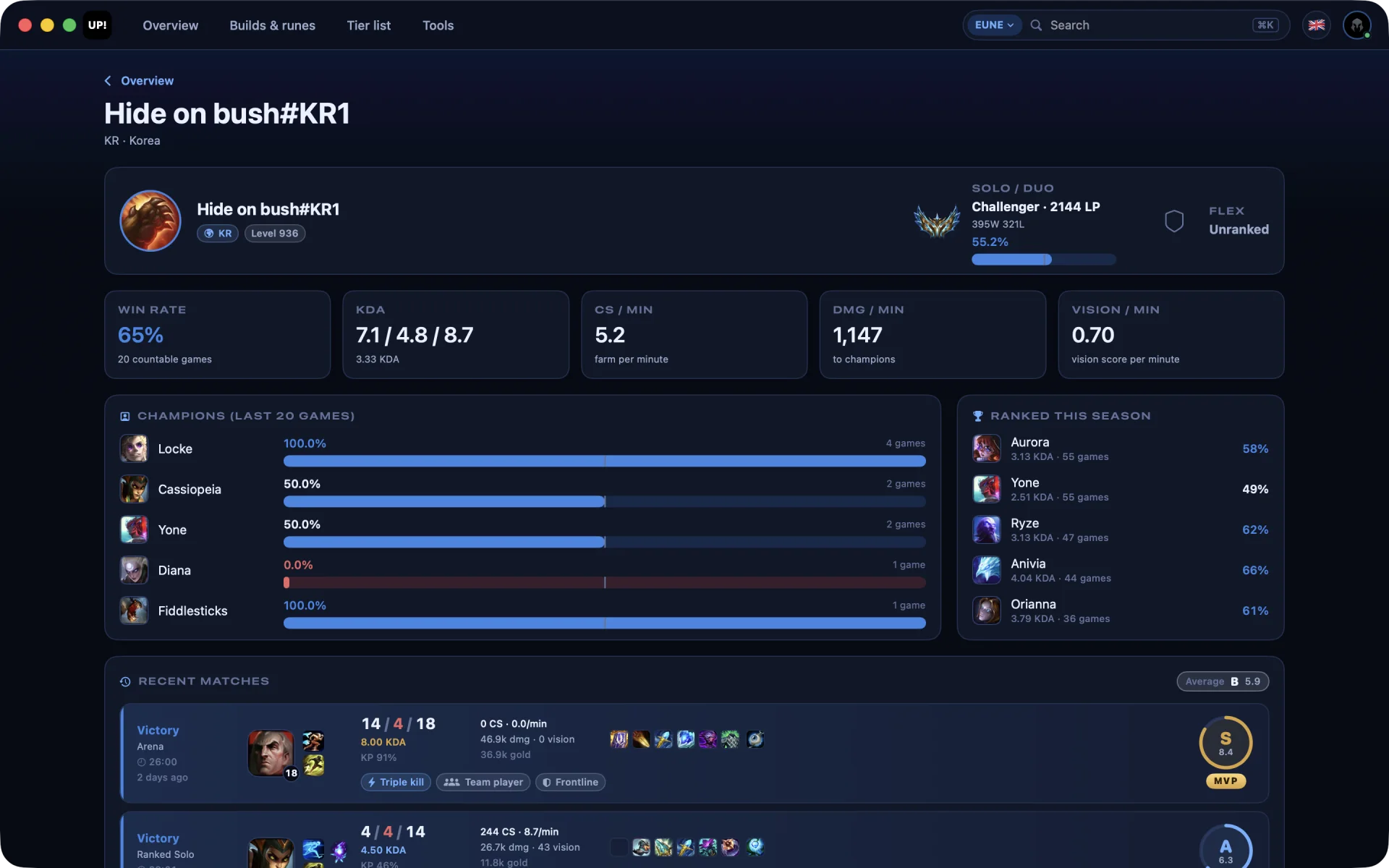
Every game gets a grade from S+ to D for your KDA, kill participation, damage, deaths, farm, vision and objectives, measured against the other nine players. LP is saved after each ranked game, so today's climb and the week's are one glance away.
MVP and ACE badges, with damage and gold charts for all ten players
A nudge to take a break after three losses in a row
Match foundAccepting in 2.0 s
61
Garen
B tier · 51.1% WRBeats Zed (56%)New to you
14:2215 – 12+1,333
Dragon1:03
Baron10:38
Our top inhibitor3:08
1,630 g leftZhonya's Hourglass
Skill maxQ›W›ENext point: R
S+10.0
VictoryVi · 51 / 1 / 0 · 165 CSMVP
Solo / Duo, last 7 days
+118 LP
The whole app, tab by tab.
Between games, four tabs hold everything else: profiles for any player, builds for every champion and mode, the tier list for your region and rank, and a toolbox for the client.
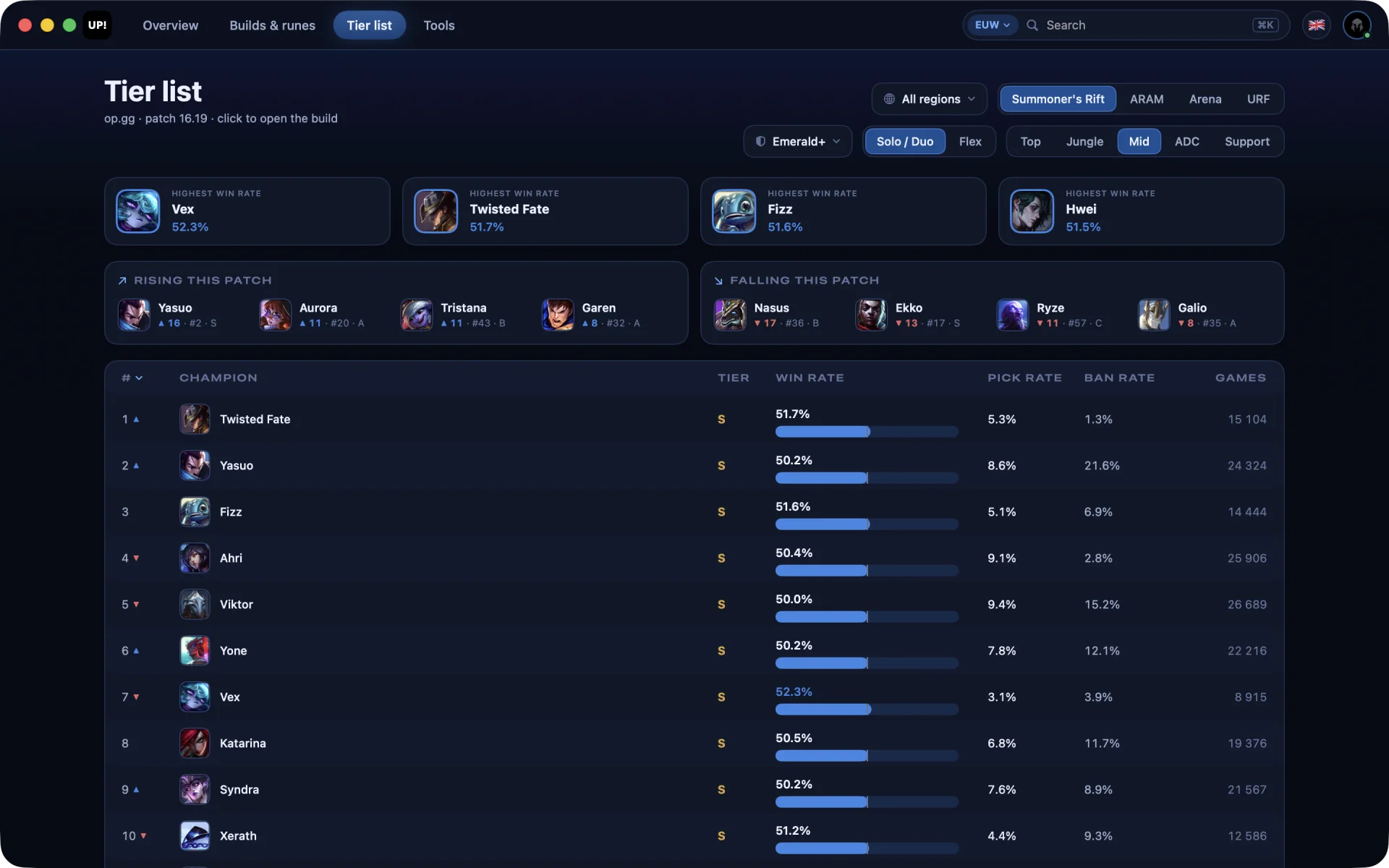
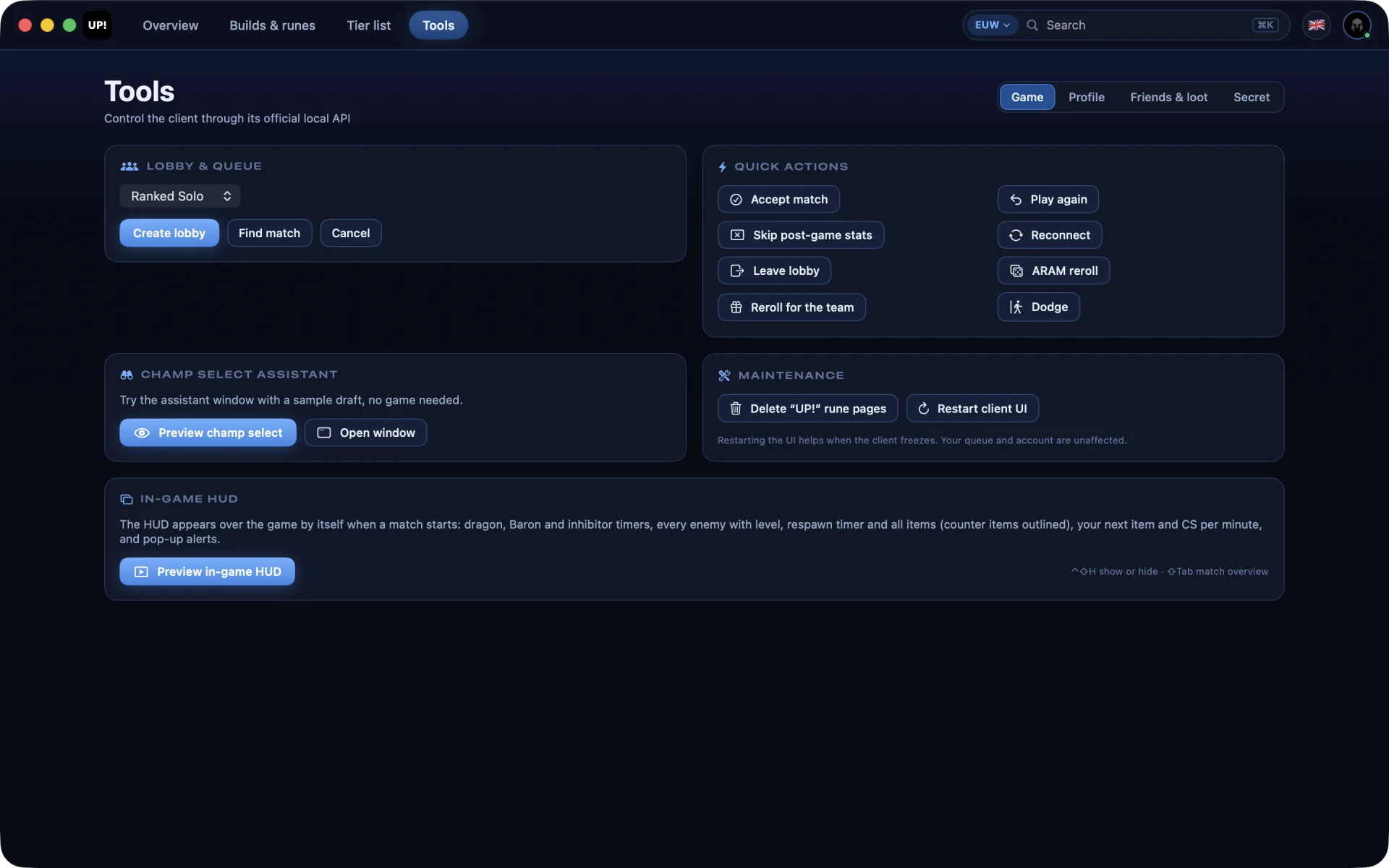
Your profile or anyone's, on any server: rank, form, every recent match graded and your champion pool rated for the patch.Runes, items, skill order and matchups for every champion in Summoner's Rift, ARAM, Arena and URF.Tiers for your region and rank, with the patch's biggest risers and fallers.Lobbies and custom games with bots, ARAM rerolls, profile looks and fixes for a stuck client.
UP! speaks ten languages and switches between them without a restart.
Drag UP! into Applications.It adds itself to your menu bar on first launch.
Open UP!, then click Open Anyway in System Settings → Privacy & Security.Needed once, because the build is signed ad hoc, not notarized. On macOS 14, right-click UP! and choose Open instead.
Prefer to build it yourself? Clone the repository and run ./scripts/build-app.sh with Xcode 16 or later.