TechTools Planetoids
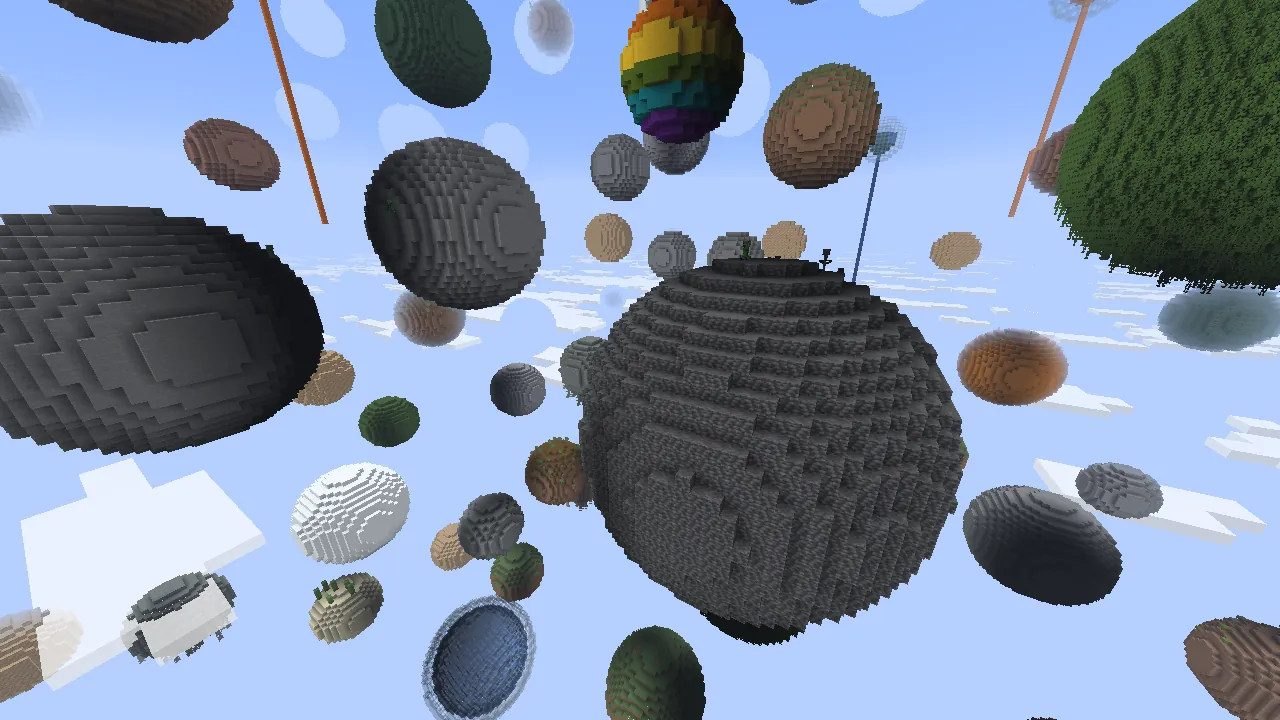
A free Minecraft survival server where the whole world is floating planets: stone, forest, ore, ice and lava.

TechTools Planetoids
Minecraft Java 26.2 with floating planets
How to join
Get Minecraft Java Edition
You need Minecraft Java Edition on a computer. Bedrock, phones and consoles cannot join.
Install the modpack
Download techtools-planetoids-1.0.0.mrpack and import it in Modrinth App or Prism Launcher. The launcher installs Minecraft 26.2, Fabric Loader 0.20.1 and the three mods, and adds the server to your list.
Or install the mods by hand
With the official launcher, run the Fabric Installer for Minecraft 26.2 and Loader 0.20.1. Put the three mod files listed on this page into the mods folder of your game.
Start the game and join
Start Minecraft 26.2 with the Fabric profile, open Multiplayer, choose Add Server, enter techtools.cz and press Join Server.
Mod files
- Starry Skies 5.1.0+26.2 The planets
- Fabric API 0.161.0+26.2 Required by Starry Skies
- Cloth Config 26.2.155 Required by Starry Skies
Server settings
- Address
- techtools.cz
- Version
- Minecraft Java 26.2
- Game mode
- Survival, normal difficulty
- Player slots
- 20
- Accounts
- No account check, no whitelist
A world without continents
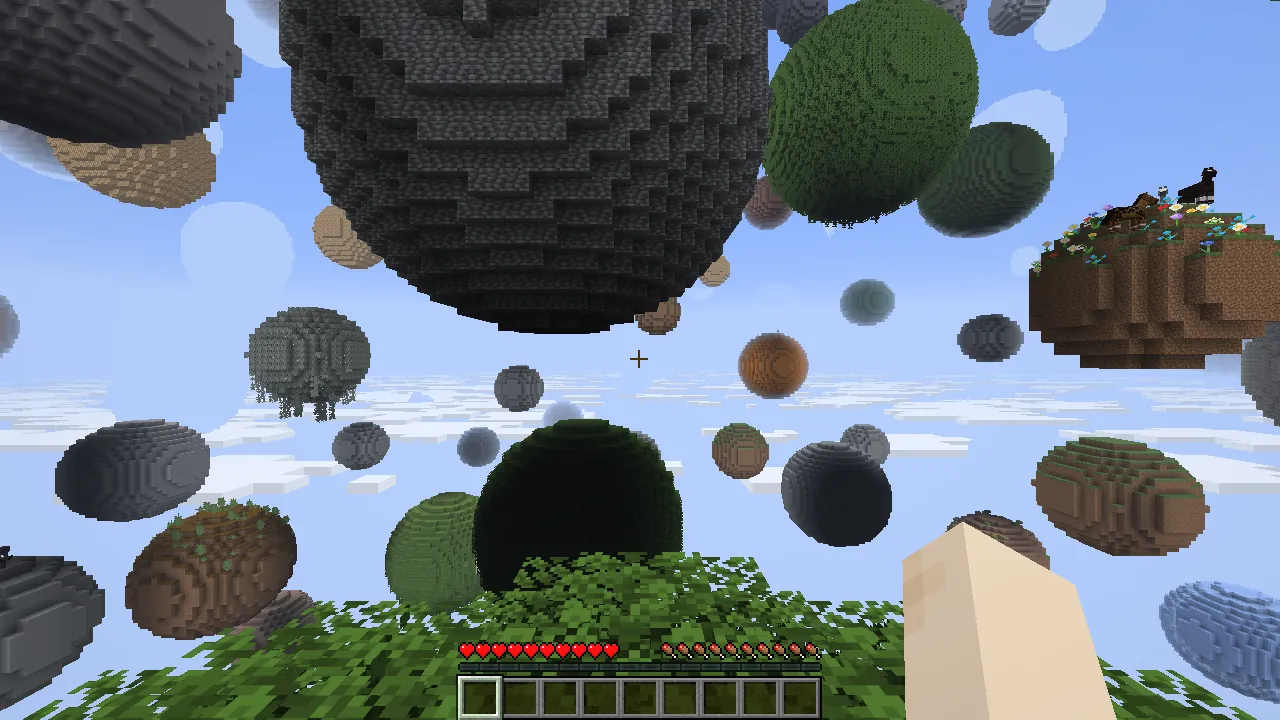
Everything on this server is a ball of blocks hanging in the sky. There is no ground to walk on and no continent to settle: you bridge, climb and jump from one planet to the next, and the distance between two planets is the real danger of the game.
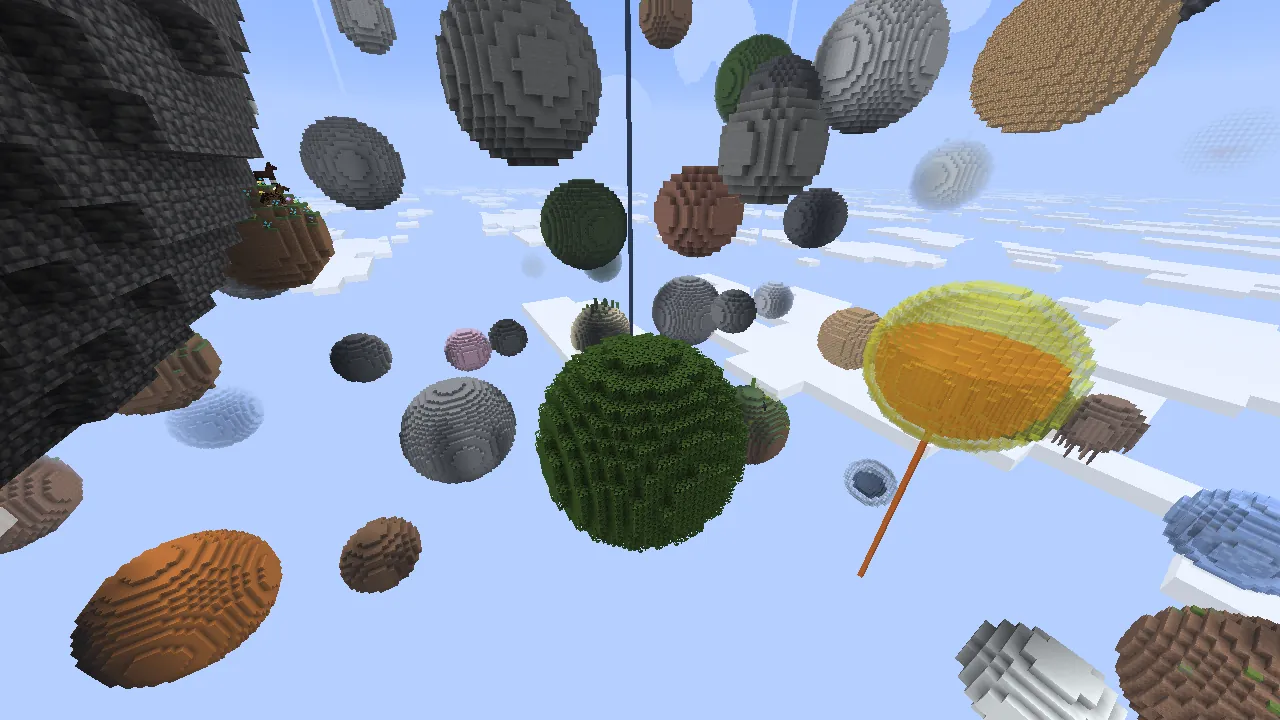
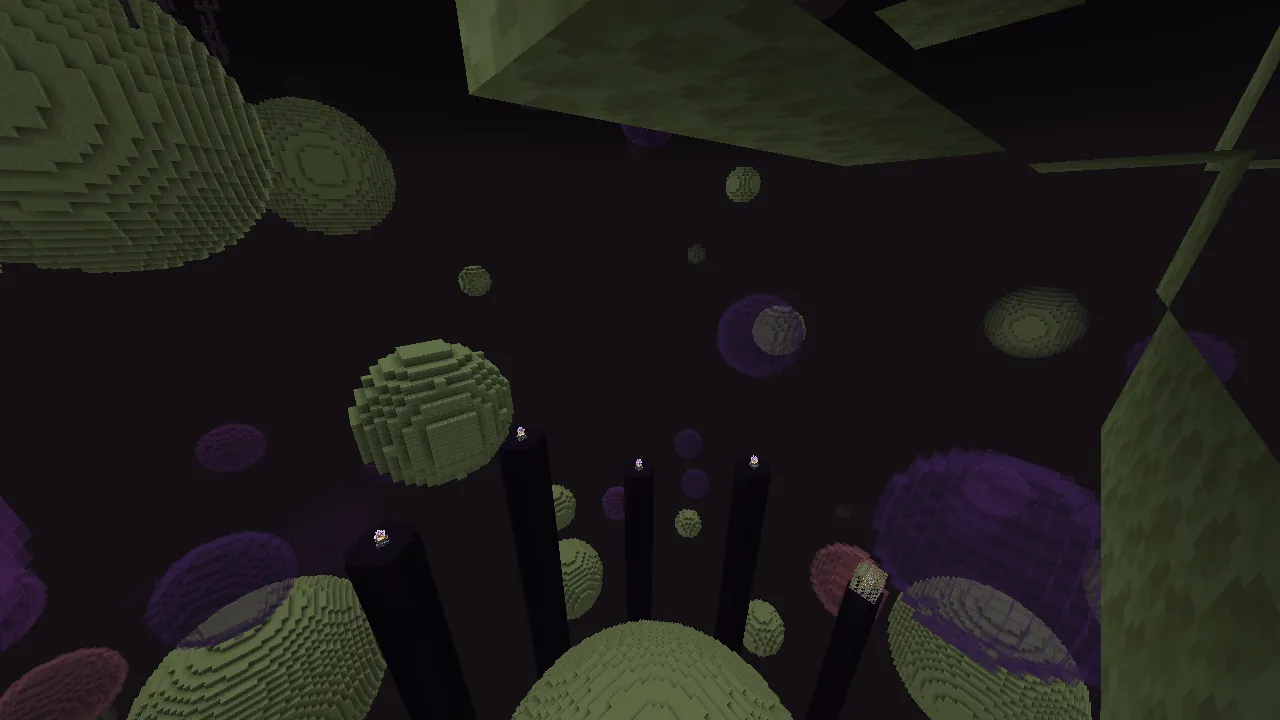
The Overworld, the Nether and the End are all built this way. The mod defines 148 kinds of Overworld planets, 41 for the Nether and 13 for the End, so mining trips look different from one planet to the next. You will find stone and dirt planets, whole forests of logs and leaves, ice, glass planets filled with water or lava, and ores from coal to diamonds.
Some planets are a fight rather than a resource. Cave planets hold mob spawners and loot, others carry a geode, a beehive, a coral reef or an ocean monument. The rest of the survival game stays as you know it: craft, build, go through a Nether portal, and raise your base on whichever planet you like.
First hour on a planet
- Start with the spawn planet. Under two layers of leaves it is solid oak logs, so you have wood and saplings straight away. The small bedrock pad you stand on cannot be mined, so the spawn always stays.
- Carry blocks for bridges before you need them. Cobblestone from the first stone planet is the cheapest way across.
- Keep a water bucket in your hotbar. It saves a fall when you land on a lower planet, and in the Overworld a missed landing below the last planet is final.
- Set your spawn with a bed once you settle. Otherwise you return to the oak planet after every death.
- In the Nether, build high and look down first. The bottom of the dimension is a lava sea.
Questions
What is the server address?
The address is techtools.cz on the default Minecraft port 25565, so you can leave the port out.
Which Minecraft version do I need?
Minecraft Java Edition 26.2. The server runs exactly this version, so other versions cannot connect.
Can I join without mods?
No. A game without Fabric is refused with the message: This server requires Fabric Loader and Fabric API installed on your client. Your game needs the same mods as the server.
Is it free, and is there a whitelist?
Joining is free and there is no whitelist. The server does not check accounts with Mojang, so a paid account is not required. Names are not protected, and skins do not show.
Can I play on a phone, a console or Bedrock?
No. The server and the mods only work with Minecraft Java Edition on a computer.
What happens if I fall off a planet?
In the Overworld and the End there is no ground under the planets, so you fall into the void and respawn without your items. The Nether has a lava sea at the bottom.
Who made the planets?
The planets come from Starry Skies, a mod by DaFuqs. It is a modern revamp of the Planetoids world generator by Seibai for Minecraft 1.2.5. TechTools only hosts the server.
Server status for scripts
The status on this page comes from a public JSON API without a key. It returns whether the server answers, the number of players online and everything needed to join.
Not an official Minecraft server. Not approved by or associated with Mojang or Microsoft. Contact the operator